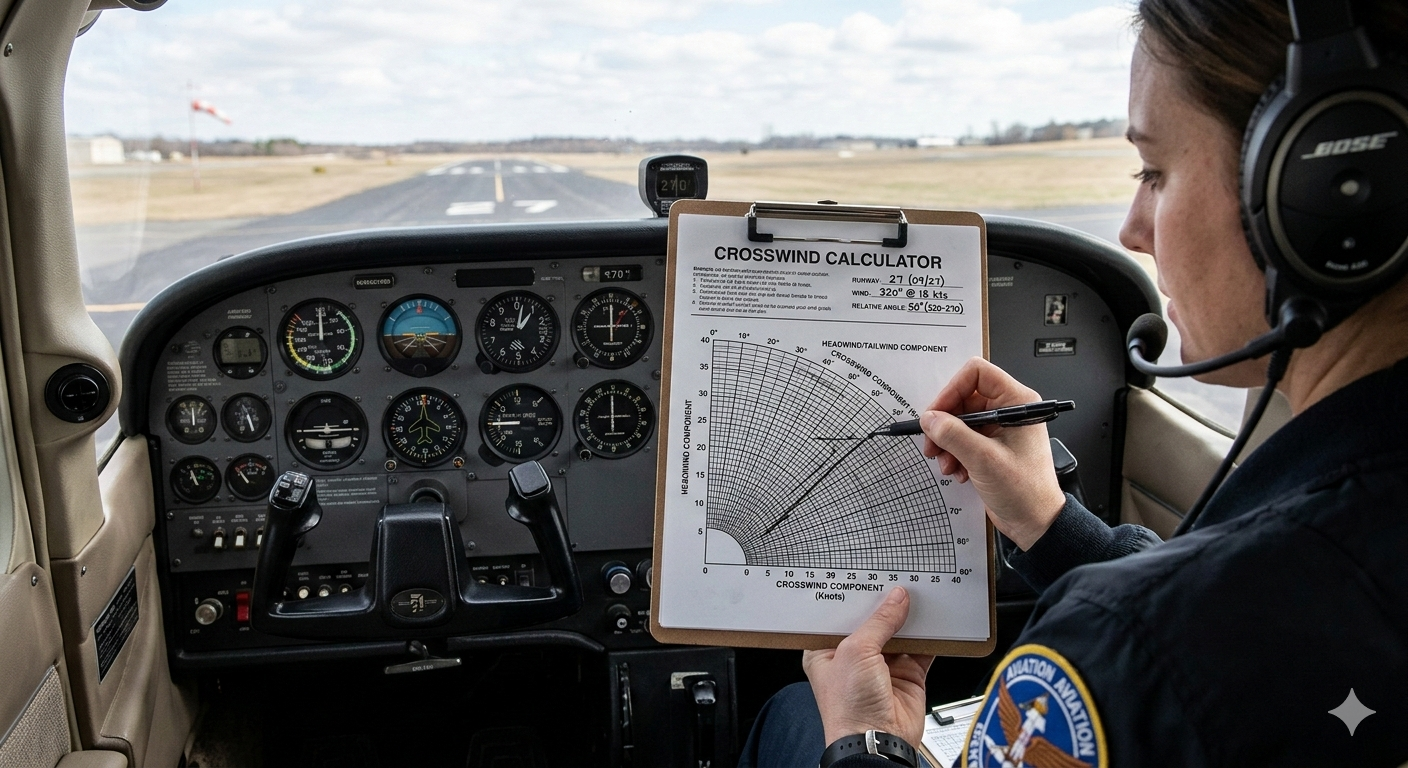
Every pilot, from the freshest student to the most seasoned captain, knows that wind is one of the most unpredictable forces in aviation. Understanding how to handle crosswinds effectively is not just a skill — it is a safety imperative. A crosswind calculator helps pilots quickly and accurately determine the wind components acting on an aircraft during takeoff and landing, making pre-flight planning faster, safer, and far less stressful. This guide covers everything there is to know about crosswind calculators, related aviation tools, and the underlying principles that every pilot should have in their toolkit.
What Is a Crosswind Component?
Before diving into calculators and apps, it helps to understand what is crosswind component in the first place. The crosswind component is the portion of the wind that blows perpendicular to the runway centerline. When an aircraft is on approach or taking off, wind rarely comes straight down the runway. Instead, it often strikes at an angle, creating both a headwind component and a crosswind component. The headwind component slows the aircraft relative to the ground (which is generally helpful), while the crosswind component pushes the aircraft sideways — which demands active correction from the pilot.
Understanding crosswind physics is essential for safe operations. Every aircraft has a demonstrated crosswind component — a maximum crosswind value the manufacturer has tested and published. Exceeding this limit without proper technique can lead to loss of directional control during the rollout. Knowing the crosswind component before every flight is therefore not optional; it is a fundamental part of sound aeronautical decision-making.
The Crosswind Calculation Formula Explained
The crosswind component formula relies on basic trigonometry. Given the total wind speed and the angle between the wind direction and the runway heading, the crosswind component is calculated as: Crosswind Component = Wind Speed x sin(Wind Angle Off Runway). The headwind and crosswind formula for the headwind portion is: Headwind Component = Wind Speed x cos(Wind Angle Off Runway). For example, if the wind is 20 knots at a 30-degree angle to the runway, the crosswind component would be 20 x sin(30) = 10 knots, and the headwind component would be approximately 17.3 knots.
The wind correction angle formula works a bit differently. The wind correction angle (WCA) is the angle a pilot must offset the nose into the wind to maintain a desired track. Knowing how to calculate WCA correctly is essential for staying on course, especially on longer legs. The wind correction formula most commonly applied in navigation is: WCA = arcsin((Wind Speed x sin(Wind Angle)) / True Airspeed). The crosswind component rule of thumb and the headwind component rule of thumb offer quick mental math shortcuts: at a 30-degree wind angle, the crosswind is roughly half the wind speed, and at 45 degrees it is around 70%. This crosswind calculation rule of thumb is widely taught in flight training programs worldwide.
Crosswind Calculator Tools: From Paper Charts to Digital Apps
Pilots have a wide range of options when it comes to calculating crosswinds, ranging from traditional paper charts to sophisticated digital platforms. Each approach has its strengths, and many pilots combine methods depending on the situation at hand.
The Crosswind Component Chart
One of the oldest and most reliable tools in a pilot's kit is the crosswind component chart. A crosswind component chart explained simply is a graph with wind angle on one axis and total wind speed on the other, with curved lines representing crosswind and headwind component values. The crosswind component chart how to use process involves finding where the wind speed and angle lines intersect, then reading off the relevant component. For pilots who want a printed reference, a crosswind chart pdf or crosswind component chart pdf can be kept in the flight bag. Many online platforms also offer a downloadable crosswind chart pdf for offline use.
The crosswind calculator chart and the headwind crosswind chart are especially useful during preflight when a quick visual reference is preferred over manual arithmetic. Training aircraft like the Cessna 172 often include a crosswind chart cessna 172 specific to that aircraft's limitations in the Pilot's Operating Handbook, making it straightforward for students to check whether conditions are within limits. Knowing how to read these charts is a foundational skill covered in most crosswind chart explanations during ground school.
Crosswind Calculator App Options
Modern pilots are well-served when it comes to digital crosswind tools. A crosswind calculator app lets pilots enter the wind direction, wind speed, and runway heading, then instantly see both the crosswind and headwind components. These apps are especially handy on the ramp where there is little time for manual computation. The crosswind component calculator app niche is growing rapidly, with developers building clean, easy-to-use interfaces suited to pilots at all experience levels.
The foreflight crosswind calculator built into the ForeFlight platform is one of the most widely used tools in general aviation. ForeFlight integrates real-time METAR data and automatically computes crosswind components based on the selected runway — a significant time-saver during busy preflight checks. The crosswind calculator foreflight feature is frequently cited by users as one of the most valuable workflow enhancements in the app. Whether using crosswind calculator aviation features in ForeFlight or standalone apps, digital tools have made the process faster and more reliable than ever before.
Crosswind Calculator with Gusts and Gust Factor
Wind rarely blows at a perfectly steady speed, and pilots must account for gusts in their crosswind calculations. A crosswind calculator with gusts takes the peak gust value into account rather than just the sustained wind speed, producing a more conservative and safety-appropriate result. Understanding how to calculate crosswind component with gust requires pilots to use the gust speed in place of the sustained wind speed when checking against the aircraft's demonstrated crosswind limit.
The gust factor aviation concept is important to grasp. The gust factor is the ratio of peak gust speed to sustained wind speed — what is gust factor applied to and why is a common question from student pilots: it is applied to the aircraft's crosswind limit to ensure momentary spikes in wind remain manageable. Separately, gust spread vs gust factor is worth clarifying: gust spread is the raw difference between sustained and peak speeds, while the gust factor is a ratio. A dedicated gust factor calculator simplifies these numbers during preflight planning considerably.
The E6B Flight Computer: Aviation's Legendary Calculation Tool
No discussion of aviation calculators is complete without mentioning the iconic e6b flight computer. The E6B — sometimes called the "whiz wheel" — has been a staple of pilot training since World War II. This circular slide rule allows pilots to solve a wide range of navigation and performance problems, including wind correction angles, ground speed, fuel burn, and crosswind components. Understanding e6b flight computer how to use is a requirement in most private pilot certificate programs. Many instructors consider the physical E6B essential even in the age of digital tools, because mastering it builds the mathematical intuition that underpins good airmanship.
E6B Calculator Online and E6B Online Calculator
For pilots who prefer browser-based tools, the e6b calculator online and e6b online calculator options have made flight planning more accessible than ever. An e6b flight computer online replicates the functionality of the physical device in a digital interface, giving pilots instant outputs for wind correction angle, ground speed, and crosswind component. These tools are particularly popular with student pilots who want to verify their manual E6B calculations quickly.
For offline convenience, the e6b calculator app is available on most major mobile platforms. An e6b app on a smartphone or tablet brings the power of the whiz wheel to the pilot's fingertips without requiring internet connectivity — useful in areas with poor coverage. Several e6b calculator free versions exist for budget-conscious students, with e6b flight computer free options covering core functionality at no cost. Pilots who want premium features can explore paid apps or check the e6b calculator amazon marketplace for well-reviewed physical and digital options.
E6B Flight Computer Manual and Physical Devices
Despite the rise of digital tools, many instructors still require students to master the physical e6b flight computer. Consulting the e6b flight computer manual is the best starting point for new users, as it walks through each scale and explains common calculations step by step. Those looking to invest in hardware can find an e6b flight computer for sale at most aviation supply retailers. The e6b und, a German-language reference term used in some European training contexts, refers to the same essential device. For interactive practice, the e6b calculator simulator offers a digital platform to build calculation skills before a checkride.
The e6b calculator how to use process is the same whether working with a physical device, an online simulator, or a mobile app — inputs and outputs remain consistent across formats. Understanding e6b wind calculator functions is especially valuable for practicing wind triangle problems, which underpin both the wind correction angle e6b calculations and crosswind component solutions. For pilots looking to explore the market, the e6b flight computer free and paid options each cater to different learning styles and budgets.
Notable E6B Products: Sporty's, ASA CX-3, and Best Electronic Options
Among the most recommended tools in aviation training is Sporty's electronic e6b flight computer, which combines the classic slide rule form with digital readouts for rapid calculations. Equally popular is the asa cx-3 flight computer, a fully electronic device from Aviation Supplies and Academics that is approved for use in FAA knowledge tests. Pilots comparing the best electronic e6b options often find themselves evaluating these two alongside Jeppesen and Pooleys offerings. The e-6b plane — a nod to the original military aircraft that lent its name to the device — is a fun piece of trivia that surprises many newer pilots when they first encounter it.
Wind Correction Angle: Staying On Course in Crosswinds
The wind correction angle (WCA) is the angular adjustment a pilot applies to the aircraft's heading to maintain a desired track over the ground. Without a WCA applied, even a modest crosswind can cause significant deviation over a long leg. The wind correction angle calculator, wind correction angle calculator app, and manual methods all solve the same core problem: how much to crab into the wind to stay on course and reach the destination as planned.
Pilots learning how to calculate WCA should understand that it depends on three variables: wind direction, wind speed, and true airspeed. A wind correction angle formula excel spreadsheet is a convenient tool for desk-based flight planning, allowing pre-calculation of corrections across multiple legs. For quick airborne estimation, the wind correction angle rule of thumb provides handy shortcuts for fast approximations. A printed wind correction angle chart is also a popular physical reference kept in many flight bags. Those who prefer digital tools can use a wind correction angle formula excel template to automate the process across complex routes.
True Heading Calculator and Ground Speed Calculator
Two closely related computations that pilots perform regularly are true heading and ground speed calculations. The true heading calculator helps pilots determine the compass heading that accounts for magnetic variation and wind correction, ensuring the aircraft actually tracks toward the intended waypoint. True heading is the direction the aircraft must point, while track is where it actually travels — these two values differ whenever wind is present.
The ground speed calculator is equally important for fuel planning and ETA estimation. Ground speed differs from airspeed by the wind component along the track. The ground speed calculator aviation community relies on both physical E6Bs and digital tools to solve this. A ground speed kts calculator outputs results in knots, the standard aviation unit, while the ground speed calculator app handles this conveniently on mobile platforms. Accurate ground speed calculator results allow pilots to compute fuel burn and flight time precisely for every leg.
Wind Calculator Aviation: Direction, Speed, and True Wind
Beyond crosswind and headwind components, pilots often need to analyze wind in more detail. The wind calculator aviation category includes tools that reverse-engineer wind direction and speed from known ground speed and airspeed vectors — useful when ATIS data is unavailable or unreliable. The wind direction calculator helps determine where wind is actually coming from based on observed drift and known airspeed.
For long-range planning and maritime aviation operations, the true wind calculator excel spreadsheet is a powerful resource. True wind accounts for the movement of the platform itself, yielding the actual wind speed and direction relative to the earth rather than the aircraft. For most light aircraft pilots, surface wind reports from ATIS or AWOS are sufficient, but understanding true wind becomes more important in helicopter offshore operations and trans-oceanic jet planning.
Online Flight Computer and Aviation Calculator Platforms
The online flight computer category encompasses a broad range of browser-based tools that replicate the functions of physical flight computers. An aviation calculator online typically combines crosswind component calculation, WCA, ground speed, fuel planning, and time-distance computations in a single interface. These platforms are especially popular among students preparing for written knowledge tests and practical exams.
The aviation calculator app mirrors this functionality for use on the go. Whether at the FBO counter or doing a walkaround, pilots can pull up a crosswind correction calculator, e6b crosswind calculator, or runway wind calculator in seconds. A dedicated runway wind calculator allows pilots to input the runway number and wind information to receive crosswind and headwind components directly, without manually computing the angular offset.
A crosswind component calculator excel workbook is another option for desk-based planners. It allows users to input multiple runway headings and wind scenarios across spreadsheet tabs, making it easy to compare options and select the most favorable runway. This kind of tool is popular among flight dispatchers and operations staff coordinating multiple departures in sequence.
Practical Tips for Using a Crosswind Calculator Effectively
Knowing how to calculate crosswind component without chart methods is a valuable backup skill for situations where digital tools fail or internet connectivity is unavailable. Mental math shortcuts combined with an aviation rules of thumb pdf reference kept in the flight bag allow pilots to quickly estimate whether conditions are within limits. An aviation rules of thumb pdf in laminated form inside a kneeboard provides quick access without the risk of screen glare or battery issues.
For pilots who regularly operate in gusty conditions, building familiarity with the crosswind calculator with gusts function of preferred apps is strongly recommended. Practicing these calculations regularly — whether using a digital crosswind calculator app, an e6b app, or manual methods — keeps skills sharp and reduces workload during high-pressure moments. Reviewing the crosswind component formula periodically also reinforces the underlying math that all digital tools are built on.
Read More : Snow Day Predictor
Summary: Choosing the Right Crosswind Calculator for Every Pilot
From the paper crosswind chart to the e6b flight computer app, the range of tools available to modern pilots is impressive. Student pilots benefit most from learning the crosswind component formula by hand and mastering the E6B before leaning on digital shortcuts. Understanding the wind correction angle formula, the crosswind calculation formula, and the wind correction formula builds the situational awareness that underpins safe flight operations.
As proficiency grows, digital crosswind calculators, aviation calculator apps, and integrated platforms like ForeFlight make it faster and easier to gather the information needed for every departure and arrival. Whether the preference is a crosswind calculator app on a smartphone, a crosswind component chart on paper, an e6b calculator online, or a full-featured aviation calculator online, the goal remains the same: know the wind, respect the limits, and fly safely. With excellent resources available — from Sporty's electronic e6b flight computer and the asa cx-3 flight computer to free online tools and capable mobile apps — there has never been a better time to make precise crosswind calculations a standard part of every pre-flight routine.