Playback Speed Calculator
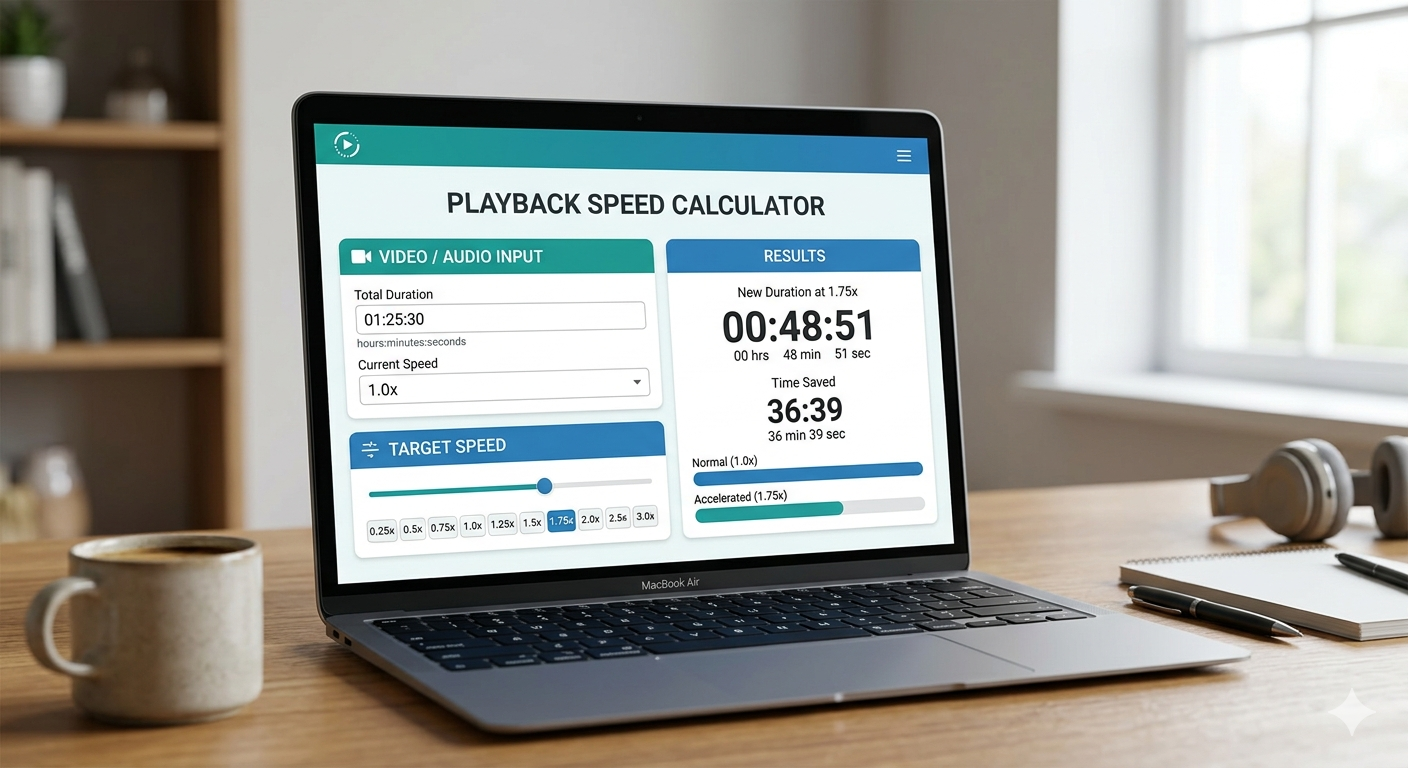
Calculate how much time you'll save or spend when watching videos or listening to audio at different playback speeds. Enter the original duration and your desired speed below.
Popular Playback Speeds
Most commonly used playback speeds
Time Savings by Speed
Percentage of time saved at each speed
Calculation Statistics
See how many playback speed calculations have been made over time
Playback Speed Guides & Articles
Playback Speed Calculator See Exactly How Much Time You'll Save
You've got 47 hours of podcasts queued up and a 35-minute commute this calculator tells you exactly when you'll catch up. Enter any runtime, pick your speed, and instantly see your adjusted listening time plus every minute you're getting back.
The Two-Second Math That Changes How You Listen
There's no complicated arithmetic here. Every playback speed calculation comes down to a single division: take your content's original duration and divide it by your chosen speed. Then subtract that result from the original to find out exactly what you're saving.
Time Saved = Original Duration − Adjusted Time
Here's how that plays out on a 10-hour audiobook:
Every Common Runtime at a Glance Your Speed Cheat Sheet
Bookmark this table. Whether you're eyeing a 3-hour business book or an 8-hour fantasy epic, here's exactly what each speed does to your clock:
| Content length | 1.25x | 1.5x | 2x | 2.5x |
|---|---|---|---|---|
| 1 hour | 48 min | 40 min | 30 min | 24 min |
| 3 hours | 2h 24m | 2h 00m | 1h 30m | 1h 12m |
| 5 hours | 4h 00m | 3h 20m | 2h 30m | 2h 00m |
| 8 hours | 6h 24m | 5h 20m | 4h 00m | 3h 12m |
| 10 hours | 8h 00m | 6h 40m | 5h 00m | 4h 00m |
Fit This Calculator Into Your Listening Routine in Four Steps
This isn't just a one-time novelty. Used consistently, the calculator becomes part of how you plan your day:
Find Your Content's Total Runtime
Check the app, description page, or episode listing for the original duration. Most platforms display this prominently copy it exactly as shown.
Choose Your Listening Speed
Pick the speed you'll actually use in your app. Not sure yet? Start with 1.5x for most content, then adjust based on how your comprehension holds up.
Read Your Adjusted Time
The calculator instantly shows your new finish time. This is the number to schedule around — not the original runtime listed on the platform.
Plan Your Listening Session Around the Result
Now block calendar time, split the content across commutes, or decide whether that 9-hour lecture series actually fits in your weekend.
Not All Content Sounds the Same at Speed Match Your Rate to What You're Hearing
Playback speed isn't a single dial you set once. The right speed depends entirely on what you're listening to. Push a novel too fast and you lose the experience; play a business podcast at 1x and you're leaving time on the table. Here's the breakdown by content type:
Fiction audiobooks
Narrator voice, pacing, and emotional beats carry the story. Push too hard and the experience flattens.
Non-fiction & business books
Dense with ideas but not emotionally layered. This is the sweet spot for serious speed gains without lost meaning.
Podcasts & interviews
Conversational rhythm adapts well to speed. Most dedicated podcast listeners live somewhere in this range.
Online courses & lectures
Academic pacing has plenty of built-in slack. Speed works beautifully here as long as you're willing to pause and replay tricky concepts.
YouTube tutorials
You need to keep up with on-screen actions. Go fast enough to save time, slow enough to actually follow the steps.
Language learning audio
Here, slower is genuinely better. Natural pronunciation patterns and tonal cues depend on accurate pacing don't rush this one.
The core tradeoff is this: speed increases throughput but taxes working memory. The more unfamiliar the material, the more cognitive load each sentence carries and the more that load gets compounded when the audio is rushing past.
What Your Brain Actually Does When Audio Speeds Up
Speed listening isn't a hack that tricks your brain it's a skill that trains it. Research on accelerated speech processing shows that most people can follow audio up to 2x with regular practice, and that comprehension at that speed is often comparable to 1x listening once the adaptation period is complete.
The adaptation window is typically two to four weeks. Audio that felt frantic at 1.5x in week one often feels completely normal by week three. Your auditory cortex recalibrates its baseline. Above 2.5x, however, comprehension drops sharply for the majority of listeners not because the brain is too slow, but because phoneme boundaries start collapsing and the signal becomes genuinely ambiguous.
Two other factors matter at least as much as speed itself: topic familiarity and listening environment. You can process a subject you know well at far higher speeds than an unfamiliar one. And a quiet room lets you push faster than a noisy commute train, because competing audio forces more cognitive resources onto noise filtering. The practical training protocol: start at 1.1x, increase by 0.1x every week, and never sacrifice actual retention just to clear your queue faster. Speed is worthless if the material doesn't stick.
A Year From Now, You Could Have an Extra Week Back
The time savings from playback speed don't feel dramatic in a single session. But compounded across a year of daily listening, the numbers become genuinely striking. Assume one hour of listening per day:
Check snow day chances by state: Snow Day Predictions by State
Stretch that window to ten years: at 1.5x, you reclaim over 1,200 hours 50 full days. Not hypothetical future days. Days that would otherwise evaporate at 1x listening speed. The most powerful productivity tool available to most people isn't a new app, a new system, or a new subscription. It's the speed button already sitting in your audio player.
Exactly How to Change Playback Speed on Every Major Platform
Knowing your ideal speed means nothing if you can't find the setting. Here's exactly where each platform hides it:
YouTube
Click the gear icon in the video player, then select Playback Speed. Available range: 0.25x to 2x. Keyboard shortcuts work when the video is focused Shift + period (.) speeds up and Shift + comma (,) slows down. Useful for quick adjustments without touching the mouse.
Spotify podcasts
Tap the three-dot menu on any episode and select Playback Speed. Range: 0.5x to 3x. Note: the speed setting can reset between listening sessions on some devices, so it's worth double-checking before you resume.
Audible
The narration speed button uses a tortoise and hare icon tap it directly in the player. Range: 0.5x to 3.5x, giving Audible one of the widest speed windows of any platform. For most audiobooks, the practical sweet spot sits between 1.25x and 1.75x.
Apple Podcasts
Tap the speed indicator (the "1x" button) at the bottom of the player. It cycles through preset options: 1x, 1.5x, and 2x. No custom input just a tap-to-advance control. Simple but covers most use cases.
Read our Fredericton snow day predictor guide: Snow Day Predictor Fredericton
Netflix
Access playback speed through the settings icon in the video player. Range: 0.5x to 1.5x the most limited of all major platforms. If you regularly watch educational or documentary content, this ceiling can be genuinely frustrating.
Google Podcasts / YouTube Music
Tap the settings gear icon and look for Playback Speed. Range: 0.5x to 2x. The setting persists between sessions, which makes it more reliable than Spotify for listeners who want a consistent speed across content.
How Playback Speed Works
- Formula: Adjusted Time = Original Duration / Playback Speed
- Time Saved: Original Duration - Adjusted Time
- 1.5x Speed: A 60-minute video takes only 40 minutes
- 2x Speed: A 60-minute video takes only 30 minutes
- 0.5x Speed: A 60-minute video takes 120 minutes (slowed down)
- Tip: Most people can comfortably listen at 1.25x-1.75x without losing comprehension
Frequently Asked Questions
Take the original duration and divide it by your playback speed. A 6-hour audiobook at 1.5x takes 6 ÷ 1.5 = 4 hours. To find what you're saving, subtract the result from the original: 6 − 4 = 2 hours saved. That's all there is to it. The calculator on this page does both calculations simultaneously and displays both numbers the moment you enter your runtime and speed, so you never have to do the division yourself.
Data from audiobook platforms consistently points to 1.25x as the most common entry speed for new speed listeners, with experienced listeners gravitating toward 1.5x to 1.75x for non-fiction. Fiction typically stays lower around 1.1x to 1.3x because narration quality and emotional pacing contribute directly to the experience. A meaningful minority of power listeners use 2x for non-fiction after extended practice, but this is the upper edge of what most people find sustainable for comprehension without active replay.
It can, but the relationship is more nuanced than "faster equals worse." Comprehension at accelerated speeds depends heavily on topic familiarity, listening environment, and individual adaptation. Research suggests comprehension remains largely intact up to 2x for most people on familiar topics in quiet settings. The damage typically occurs above 2.5x, or when listeners push too fast before their auditory processing has adapted. The safest approach: increase speed gradually over weeks, not days, and treat any drop in retention as a signal to step back down rather than push through.
Audible currently offers the widest range of any major platform, going up to 3.5x. Spotify's podcast player caps at 3x. In practice, very few listeners use either platform above 2.5x at that speed, phoneme compression makes most narration genuinely difficult to follow rather than just fast. Both platforms also offer fine-grained speed adjustments below 1x, down to 0.5x, which is valuable for language learners or listeners who want to catch every detail in complex technical material.
Gradual exposure is the only reliable method there are no shortcuts that skip the adaptation phase. Start at 1.1x on content you already know well, like a re-listen of a favorite podcast. After a week, move to 1.2x. Increase by 0.1x increments weekly, always using familiar material before switching to new content at the new speed. The adaptation period for a given speed is typically one to two weeks of regular listening. Most people reach comfortable 2x comprehension within four to six weeks of this protocol, assuming they're listening for at least 30 minutes per day.
At 1.5x, you reduce every piece of content to two-thirds of its original length. That means a 3-hour podcast becomes exactly 2 hours, a 10-hour audiobook becomes 6 hours 40 minutes, and an hour-long lecture becomes 40 minutes. Over a year of daily hour-long listening, 1.5x saves approximately 122 hours equivalent to finishing an extra 12 to 15 audiobooks annually. The savings scale directly with how much you listen: double your daily listening time and you double the hours reclaimed.
It depends on the podcast format and how familiar you are with the topic. Conversational interview shows, true crime, and general interest podcasts usually work well at 1.5x without any loss of enjoyment banter and natural pauses are present even at speed. Highly technical podcasts on topics you're still learning respond better to 1.5x or below. Once you've listened to a host for dozens of hours, their speech rhythm becomes familiar enough that 2x feels natural. A practical default: start new shows at 1.5x and only push to 2x once you've settled into the host's cadence.
Content you already know well at lower speeds is the clearest winner. Re-listening to familiar material is the single most effective way to push into the 2x to 2.5x range without comprehension loss. Among new content, business and self-development podcasts tend to perform best at high speeds because the ideas are often distilled and repeated. Narrative-heavy fiction, emotionally complex storytelling, and language learning audio are consistently the poorest candidates for aggressive speed increases the information density and tonal nuance simply don't survive compression well.